Get Started With Your AnkerWork M650 Wireless Microphone
Hello AnkerWork M650 Microphone customer,
Thanks for your recent purchase and welcome to the AnkerWork family! We know you're excited to get started, so here are some helpful guides:
Don't forget your M650 comes with an 18-month warranty and hassle-free customer service. Reach out anytime if you have questions. You can contact us via the AnkerWork software's help page or email support@ankerwork.com for a reply within 24 hours.
Thanks for your recent purchase and welcome to the AnkerWork family! We know you're excited to get started, so here are some helpful guides:
Knowledge base:
Click here to visit the knowledge base of the AnkerWork M650 to help you quickly and easily learn how to use M650:For Better Sound Quality:
To keep sound quality professional, follow these tips:- For optimal mic placement, put the transmitter between 4-12" (10-30 cm) away from your mouth.
- Wear the windscreen if recording in windy environments or the transmitter is putting 8" (20 cm) or less away from your mouth.
- For optimal connectivity and superior audio quality, use the product in unobstructed environments without interference.
- Avoid using the receiver while it is being charged via its USB-C port.
- For best results with a computer, use the USB-C port to connect.
- For best results with a camera, turn off the camera's Wi-Fi, lower its gain, and turn off the wind noise suppression and noise reduction functions of the camera.
Proper Use and Care:
To ensure M650 works properly, here are some important care tips:- A low battery is indicated by a red light on the transmitter or the first white light on the charging case flashing slowly. In these situations, we recommend charging the M650 as soon as possible.
- If your transmitters or receiver shuts down automatically, it may be due to a low battery. Recharge the device and verify it works properly. The transmitters and receiver automatically shut down if disconnected for more than 30 minutes.
- To get the most out of your AnkerWork M650, please download the AnkerWork software at software.ankerwork.com.
- We will release new firmware regularly to optimize the user experience. To get the best performance, you are strongly recommended to always keep the firmware of your AnkerWork M650 up to date.
Don't forget your M650 comes with an 18-month warranty and hassle-free customer service. Reach out anytime if you have questions. You can contact us via the AnkerWork software's help page or email support@ankerwork.com for a reply within 24 hours.


27 undefined

M650 Wireless Microphone A3320 Manual
AnkerWork M650 Phone Compatibility List
【A3320】EU Declaration

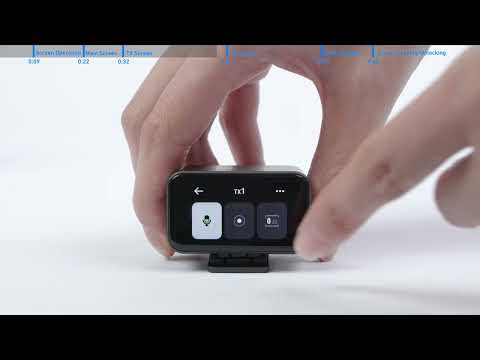
How to Use the Transmitters
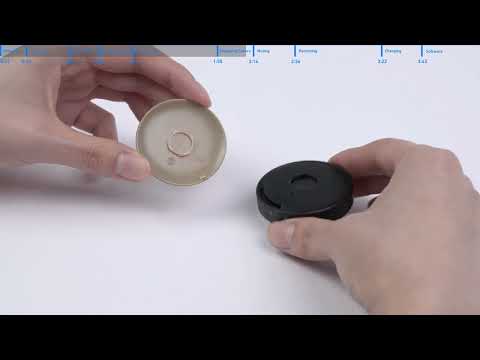
How to Use AnkerWork M650 Wireless Microphone