How do I use the voice memo feature?
 

Use the Bluetooth dongle to connect your computer to PowerConf H500/H700.


Only the computer software supports the recording function. You are unable to record using the phone AnkerWork app. 


If you have additional questions, please contact AnkerWork's customer support at support@ankerwork.com for further assistance.
Unresolved icon
43 undefined
How to Fix PowerConf Mic Issues
2765 views1 likes/2025-04-08 17:19:28
How to Maintain and Care for soundcore Headphones
6845 views2 likes/2025-04-08 16:02:59
Payments & Vouchers FAQ
2791 views1 likes/2025-12-29 17:34:13
Get Started with Anker PowerConf H700
3634 views1 likes/2023-12-05 11:43:34
Does PowerConf H500/H700 work with Microsoft Teams?
946 views1 likes/2025-04-08 17:19:28
How to Fix PowerConf Sound Issues
1679 views1 likes/2025-04-08 17:19:29
Get Started with Anker PowerConf H500
2568 views1 likes/2023-12-05 11:26:37
How do I reset PowerConf H500/H700?
1745 views1 likes/2023-12-05 10:14:47
Download icon
PowerConf H700 A3510 Quick Start Guide
Download icon
PowerConf H700 A3510 User Manual
Download icon
A3511 PowerConf H500 DOC
Download icon
A3511 EU DOC
Download icon
PowerConf H500 A3511 Quick Start Guide
Download icon
PowerConf H500 A3511 User Manual
View More
Play videoHow to Connect AnkerWork H700 to B600
How to Connect AnkerWork H700 to B600
Play videoHow to Record & Transcribe Calls and Meetings
How to Record & Transcribe Calls and Meetings
Play videoHow to Activate Noise Cancellation and Transparency
How to Activate Noise Cancellation and Transparency
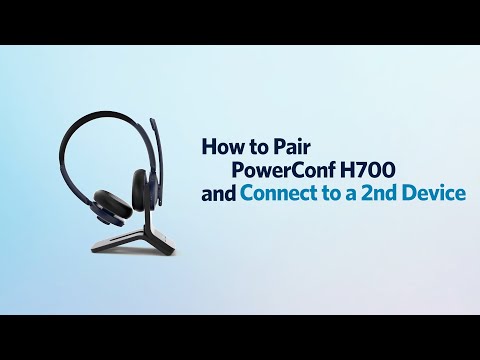
Play videoHow to Pair PowerConf H700 and Connect to a 2nd Device
How to Pair PowerConf H700 and Connect to a 2nd Device
Play videoHow to Use the AnkerWork App
How to Use the AnkerWork App
Play videoHow to Activate the Voice Assistant
How to Activate the Voice Assistant
View More