How to Install and Use AnkerWork Software for PowerConf C200?
You can visit software.anker.com to download AnkerWork software software and install it.
AnkerWork software features:
1. Update the webcam's firmware by going to Device Mode > Inspection Update
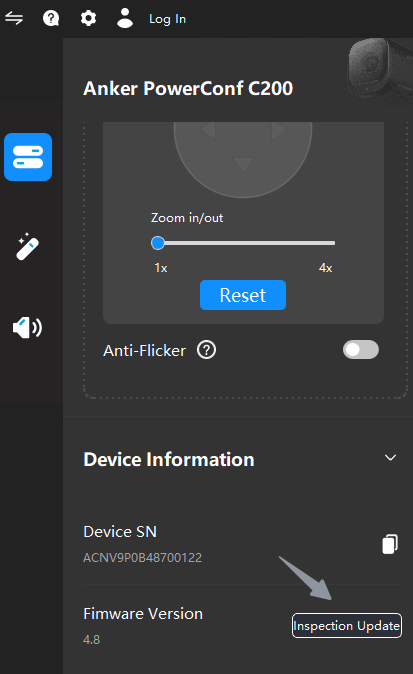
2. Go to Device/Image Settings to customize settings
3.Reduce background noise and enhance vocals by selecting the microphone pickup angle via the Audio settings

4. Get help by clicking the question mark (view the webcam's FAQs, provide feedback and get in contact with technical support )

If you still have any concerns or questions about the AnkerWork software installation and usage, please contact AnkerWork customer service for further assistance.


43 undefined

PowerConf C300 A3361 Manual
A3367_C310_Manual
AnkerWork C310 User Guide (A3367)
PowerConf C200 User Guide (A3369)


How To Setup Anker PowerConf C300