You can visit software.anker.com to download AnkerWork software software and install it.
AnkerWork Software Features:
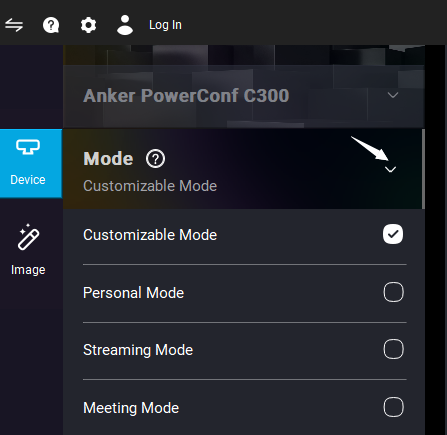
1. Choose from 4 meeting modes (Customizable Mode/ Personal Mode/ Streaming Mode/ Meeting Mode) by clicking the arrow from the picture below to tailor PowerConf webcam to your exact needs.
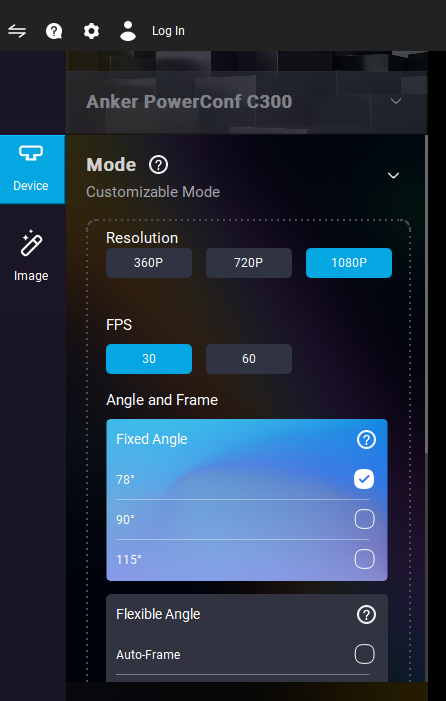
2. Customize your own settings. Select Customizable Mode to adjust the settings according to your needs.
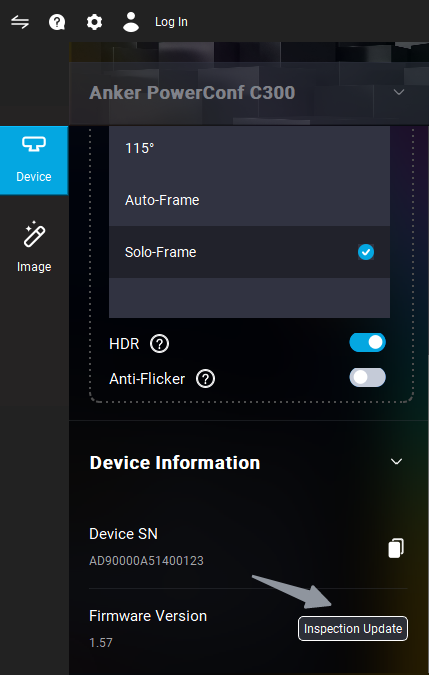
3. Update the webcam's firmware by going to Device Switch on the left top corner > Select Device > Device > Inspection Update.
4. View the webcam's FAQ and get in touch with technical support by clicking the question mark.
Here is the video for your reference: https://www.youtube.com/watch?v=nviXDGQjWhc
If you have additional questions, please contact us for further assistance.


