How to Stabilize B600 Video Bar

Hi AnkerWork B600 User,

Thank you for choosing this 4-in-1 video bar. Your satisfaction is our top priority, and we want to share how to stabilize B600.

We're proud of B600 Video Bar's four-in-one design, but the size and weight are larger than other webcams. It is too much for a laptop, which is why we recommend placing B600 on a monitor.
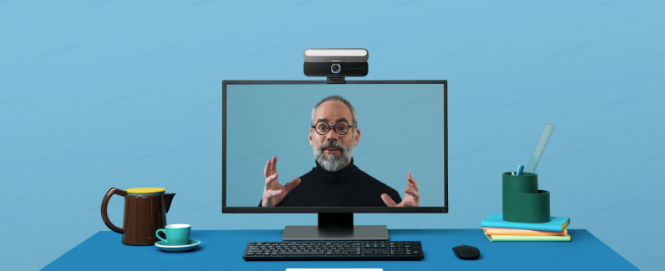
For a more flexible and adjustable installation, you can mount the video bar onto a tripod. A general tripod with a 1/4-inch thread can work. You can also purchase a tripod from AnkerWork if needed.


Find out more about the tripod

https://us.ankerwork.com/products/a3342-ankerwork-mini-tripod
 

Don’t forget that us is always here to help if you have any questions or encounter any issues. You can contact us via the AnkerWork software "Help" page or email support@ankerwork.com for a response within 24 hours.


Regards,

The AnkerWork Team


Unresolved icon
50 undefined
Download icon
AnkerWork BR300 A3387 Manual
Download icon
soundcore AeroClip دليل المستخدم (A3388)
Download icon
soundcore AeroClip מדריך למשתמש (A3388)
Download icon
soundcore AeroClip Uživatelská Příručka (A3388)
Download icon
soundcore AeroClip Brugervejledning (A3388)
Download icon
soundcore AeroClip Benutzerhandbuch (A3388)
View More
Play videoHow to Set Up AnkerWork B600
How to Set Up AnkerWork B600
Play videoUnboxing AnkerWork B600 Video Bar
Unboxing AnkerWork B600 Video Bar
Play videoHow to Turn On AnkerWork B600’s Light
How to Turn On AnkerWork B600’s Light
Play videoHow to Use AnkerWork B600’s Software Application
How to Use AnkerWork B600’s Software Application
Play videoHow to Adjust AnkerWork B600’s Light
How to Adjust AnkerWork B600’s Light
Play videoHow to Manually Adjust AnkerWork B600’s Volume
How to Manually Adjust AnkerWork B600’s Volume
View More




